


TAG Mobile
4.41.19K Reviews
App Specs
- Version
- 1.6.5
- Updated On
- License
- Free
- Downloads
- 1,000,000+
- Developer
- HTH Communications
- Categories
- Business
- Platform
- Android
Screenshots
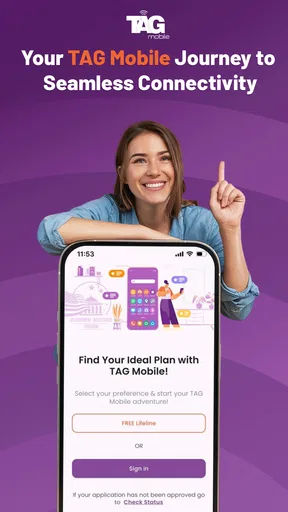
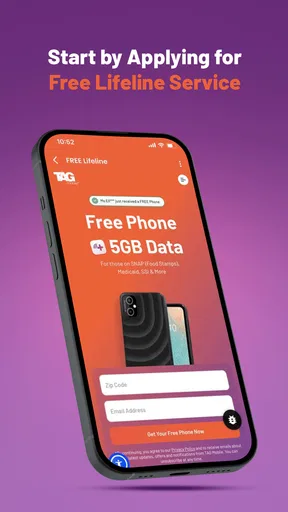
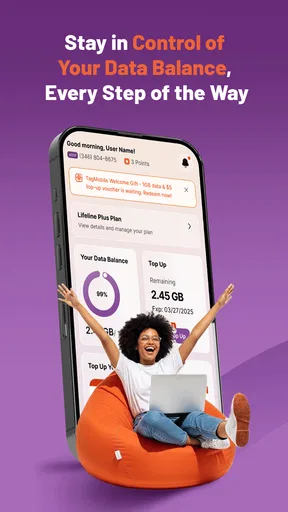
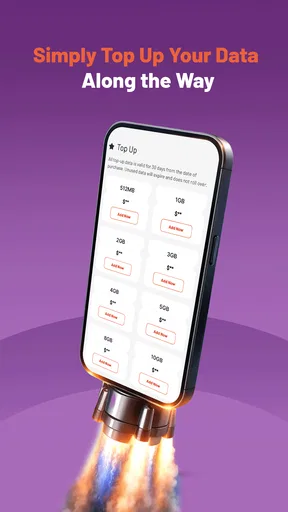
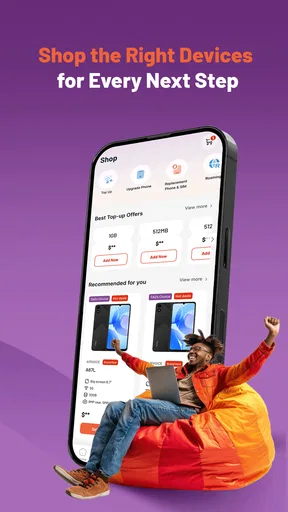
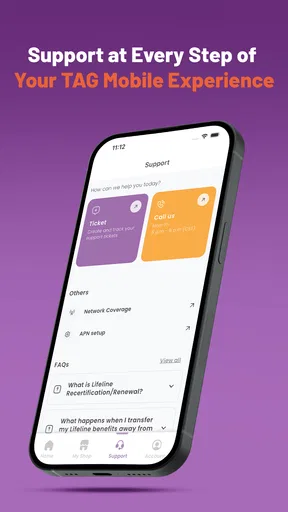
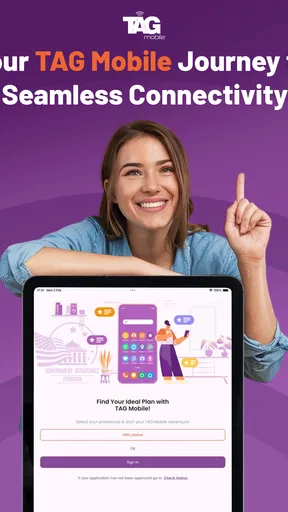
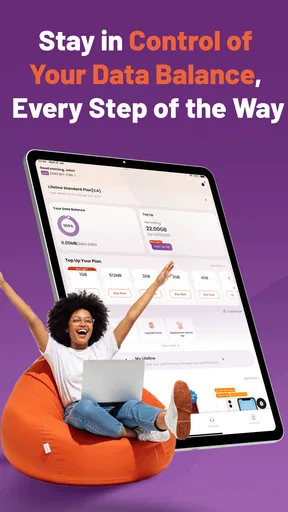
 Analysis by AppCompare
I approached TAG Mobile as a practical business app rather than something to browse casually. Its purpose is clear: it is built around TAG Mobile’s wireless service, with the promise of making everyday mobile management easier. That focus matters because the best choice in this category is rarely the app with the longest feature list. It is the one that helps me handle the tasks I actually need without turning a simple account check into a chore.
In my experience, the app makes the most sense for people who want a direct way to stay connected with their wireless service from a phone. It is free, rated for Everyone, and developed by HTH Communications. The app has reached over a million installs and holds a 4.4 average from around six thousand ratings, which suggests that many users find its basic approach useful. Those figures are encouraging, but they do not replace the more important question: does its workflow suit the way you manage mobile service?
What I would consider before choosing it
My first decision criterion is simplicity. A wireless account app should help me check what is happening with my service, make routine decisions, and move on with my day. I do not want to treat it like a full financial dashboard or a complicated business platform if all I need is quick account access. TAG Mobile’s narrow focus is therefore a strength for users who prefer a dedicated service app instead of managing everything through a browser.
The second criterion is how often I need the app. Someone who checks wireless details only occasionally may value a clean, focused tool more than a large provider app packed with unrelated shopping, entertainment, or promotional sections. On the other hand, a person who manages several lines, compares plans constantly, or needs advanced administrative controls should think carefully before switching from a familiar web portal or carrier application.
I would also consider who is responsible for the account. For an individual user, a straightforward mobile companion can reduce friction. For a small business owner, the decision depends on whether the app fits the way employees, billing responsibilities, and multiple connections are organized. The Business category gives TAG Mobile a practical identity, but that does not automatically mean it will replace every business-oriented account system.
Device compatibility is another sensible checkpoint. The current version is 1.6.5, and the app requires Android 7.0 or later. That covers many still-used Android phones, but anyone holding on to an older device should check compatibility before planning a switch. I would also install it on the phone I use most often rather than assuming that a secondary device will provide the same convenient routine.
The age rating is Everyone, which makes the app approachable for a broad audience. That is useful in households where more than one person may need to understand or access mobile-service information. Still, an accessible rating is not the same as a complete account-sharing solution, so I would keep control of sensitive account actions with the person who owns or manages the service.
Worth Reading Before You Choose

EA SPORTS FC Mobile 26 Is a Bigger Football Game, but It Takes Time

Flipboard Shows What News Apps Must Do Beyond the Feed

Switching to Android Auto Means Rethinking Your Driving Routine

Google Calendar Makes a Crowded Week Easier to Manage

Ludo King Makes the Most of the Minutes Between Plans

Baby Panda World Brings Quick Play to Modern Phones, but Its Game Library Feels Busy
The everyday workflow I found most convincing
Imagine that I am leaving for work and want to make sure my mobile service is in order before a busy day. I open the app, check the account information I need, and close it once I have the answer. That small scenario is where a focused wireless app earns its place. It does not need to become a destination; it needs to remove uncertainty at the moment I have it.
A similar situation comes up when I am helping a family member. Instead of explaining where to find a provider’s website or asking them to remember a browser password flow, I can guide them through a dedicated mobile interface. The value is not dramatic, but it is real: fewer steps can make routine service management less intimidating for someone who is not comfortable with technology.
For a small team, I would use the app as a quick mobile checkpoint rather than the sole administrative tool. A manager might use it while away from a desk, then handle more involved work through the usual account channel. That division is important. It prevents me from expecting a mobile companion to behave like a full desktop system when the better use is fast access during the day.
Where TAG Mobile earns its place
The clearest advantage is focus. TAG Mobile does not need to compete by becoming a general-purpose productivity suite. Its appeal comes from giving users a recognizable home for wireless-service tasks. When I compare that with the usual alternatives, I see three broad choices: a carrier’s larger all-in-one app, a mobile browser, or a dedicated app such as this one. Each approach has a different kind of convenience.
The browser is flexible and avoids adding another app, but it can feel less natural on a phone. I may need to open a page, locate the correct sign-in area, and navigate a layout designed for more than one screen size. A dedicated app can make the repeated action feel more intentional. That difference becomes noticeable when I check the same kind of information regularly.
A larger carrier app may offer a wider collection of services in one place. That can be better for someone who wants shopping, support, account management, and additional products together. The trade-off is attention. More sections can mean more searching, more promotions, and more opportunities to land somewhere other than the task I started. TAG Mobile’s narrower role is preferable when I want the wireless account experience to stay uncluttered.
Another strength is the low entry cost. The app itself is free, so trying it does not require a separate purchase. That makes it reasonable to test the workflow for a few days before deciding whether it deserves a permanent place on the phone. I would judge it by how quickly I can complete my normal tasks, not by how many screens it contains.
The reception from users is also worth noting without treating it as a guarantee. A 4.4 average across around six thousand ratings indicates a generally positive response, while the app’s broader reach shows that it is not an obscure experiment. I still read that kind of signal as a starting point. Wireless experiences can vary according to account setup, device, and personal expectations.
Useful habits that make the app more practical
My first tip is to decide what “success” means before installing it. Write down the two or three wireless tasks you perform most often, then see whether the app makes those tasks easier than your current method. This prevents a common mistake: keeping an app simply because it looks official while continuing to use the browser for everything important.
My second tip is to use it as a verification step before making a change elsewhere. If I am about to adjust my service or help another person with an account, I would first confirm that I am looking at the correct account context. This is especially useful when a household has similar names, several phones, or more than one person involved in decisions. A quick check can prevent an avoidable mistake.
My third tip is to separate quick checks from deeper account work. I would use the app when I am away from my desk, but I would not assume that every complex task belongs there. If a process starts to feel cramped on a phone, moving to the provider’s broader account route may be more efficient. That is not a failure of TAG Mobile; it is a sensible division between mobile convenience and detailed administration.
A fourth practical habit is to review the app after a short trial rather than judging it after one launch. The real test is repetition. Can I return to it without thinking? Does it reduce the number of steps in the situations that matter to me? If the answer is yes, its value comes from saved attention rather than from any single standout feature.
Where another option may fit better
TAG Mobile is not automatically the right choice for everyone. I would look elsewhere if I need a broad ecosystem that combines wireless service with many unrelated account functions. A larger provider app may be more suitable for users who prefer one central hub and do not mind a busier interface.
I would also hesitate if most of my work happens on a computer. A browser-based account portal can be more comfortable for reviewing lengthy information, comparing several options, or handling tasks that require careful reading. In that situation, the app may still be useful as a companion, but it should not be expected to replace the desktop workflow.
People managing complicated business arrangements should be especially realistic. A focused mobile app can be convenient for quick checks, but a business owner may need a more structured environment for approvals, records, or multiple users. Since those needs are more demanding than personal account access, I would test TAG Mobile against the actual responsibilities of the business rather than assuming that its Business classification covers every professional scenario.
The same caution applies to households with shared responsibility. If several people need independent access or if one person frequently manages service for others, the important issue is not just whether the app opens quickly. The account process must remain understandable and controlled. I would choose the option that makes responsibility clearest, even if it is less streamlined.
There is also a trade-off between familiarity and focus. If I already know a provider’s website well, switching may not improve anything. A new app creates another place to sign in, another interface to learn, and another habit to maintain. The benefit has to be visible in everyday use. If it merely duplicates what I already do comfortably, keeping the browser may be the smarter decision.
The real cost of switching
Because the app is free, the main cost of switching is not money. It is time, attention, and the effort of changing a routine. I would need to install it, sign in, understand where the important account areas are, and decide whether it is reliable enough for regular use. Those steps are modest, but they are still worth acknowledging when an existing method already works.
I would make the transition gradually. First, I would keep my usual browser or provider app available. Then I would use TAG Mobile for low-risk checks and compare the experience with my familiar route. Once I knew where to find what I needed, I could decide whether it deserved a prominent spot on my home screen.
For a family or small business, switching also has a communication cost. Anyone else involved in the account may need to learn the new path. I would explain which person should handle sensitive actions and which tasks the app is being used for. That simple agreement is more valuable than installing the app on every phone without a plan.
There is little reason to make the switch all at once. A focused app should prove itself through repetition. If it consistently helps me complete the same wireless tasks with less searching, the change becomes worthwhile. If I keep returning to the browser for anything meaningful, I would treat TAG Mobile as optional rather than forcing it into my routine.
My recommendation for different kinds of users
I recommend TAG Mobile most readily to Android users who want a dedicated, free way to stay connected with their TAG Mobile wireless account. It is particularly appealing when the priority is quick mobile access rather than a large collection of extra services. The positive 4.4 average and more than a million installs make it a credible option to try, while the Everyone rating keeps the audience broad.
I would recommend a cautious trial for small business owners. Use it for mobile checks and convenient moments away from the office, but keep a fuller account route available for detailed work. That approach lets the app contribute without placing responsibilities on it that may belong in a more expansive system.
I would skip it if I am satisfied with a browser, need a heavily centralized provider app, or manage account arrangements that demand advanced multi-user control. In those cases, the convenience of a focused app may not outweigh the extra routine. Choosing not to switch is a valid result when the current alternative already matches the job.
Overall, I see TAG Mobile as a sensible decision for people who value a direct wireless-service companion and do not need their mobile account app to do everything. HTH Communications has positioned it as a focused Business app, and that focus is exactly why it can work well for everyday checks. My advice is simple: install it, test the few tasks you genuinely repeat, and keep it only if it makes those moments easier. The best reason to use TAG Mobile is not its download count; it is the time it can save in your own routine.
Pros
- Simple interface makes essential mobile services easy to find.
- Useful account tools help users manage services from one place.
- Notifications can keep users informed about important account updates.
- Convenient access reduces the need to contact support for routine tasks.
- Works well for users who prefer managing services from a smartphone.
Cons
- Some features may depend on your mobile operator or region.
- Certain account actions may require additional verification steps.
- Performance can vary on older phones or slower connections.
- The app may offer limited value to users without a TAG account.
- Occasional updates may change the layout or location of familiar options.
FAQs for TAG Mobile
What is TAG Mobile and what can I use it for?
TAG Mobile is a mobile-focused application designed to provide access to TAG-related services and features from an Android or iOS device. Depending on your account and region, it may let you manage personal information, view available content or services, receive notifications, and interact with the platform without using a desktop browser. The exact tools can vary by location and app version.
Is TAG Mobile free to download and use?
The application can generally be downloaded without an upfront purchase, but some services available through TAG Mobile may require registration, a subscription, a payment, or an existing TAG account. Before using paid features, check the pricing information shown inside the app and review any additional charges that could apply. Mobile data costs may also come from your network provider.
What devices and permissions does TAG Mobile require?
TAG Mobile is intended for compatible Android and iOS smartphones or tablets, although the minimum operating-system version may change as new updates are released. During setup, the app may request permissions such as notifications, internet access, storage, camera, or location, depending on the features you use. Grant only permissions that make sense for the functions you want to access.
Do I need an account or an internet connection to use TAG Mobile?
Many of TAG Mobile’s main functions may require an account, login credentials, or verification before they become available. An active internet connection is also normally needed to sign in, synchronize information, load online content, and submit requests. Some previously loaded information may remain visible offline, but users should not expect every feature to work without Wi-Fi or mobile data.
Is TAG Mobile safe, and what should I check before downloading it?
Before installing TAG Mobile, download it only from the official Google Play Store or Apple App Store and confirm that the developer name matches the legitimate TAG service. Review the privacy policy, requested permissions, recent update history, and user feedback. Use a strong password, avoid sharing verification codes, and keep the app and your device updated to reduce avoidable security risks.


